If someone tells you “AI is about to replace your job,” feel free to politely disagree — because Microsoft Research has published evidence that today’s AI still struggles with one of the most basic business skills: keeping your documents intact.
Can AI Actually Manage Your Business Files?
In April 2026, Microsoft Research published “LLMs Corrupt Your Documents When You Delegate”, introducing the DELEGATE52 benchmark. In plain English: they tested whether modern AI can handle long, realworld editing jobs — making changes, undoing them, and repeating the cycle — without quietly breaking the file along the way.
What Was Tested
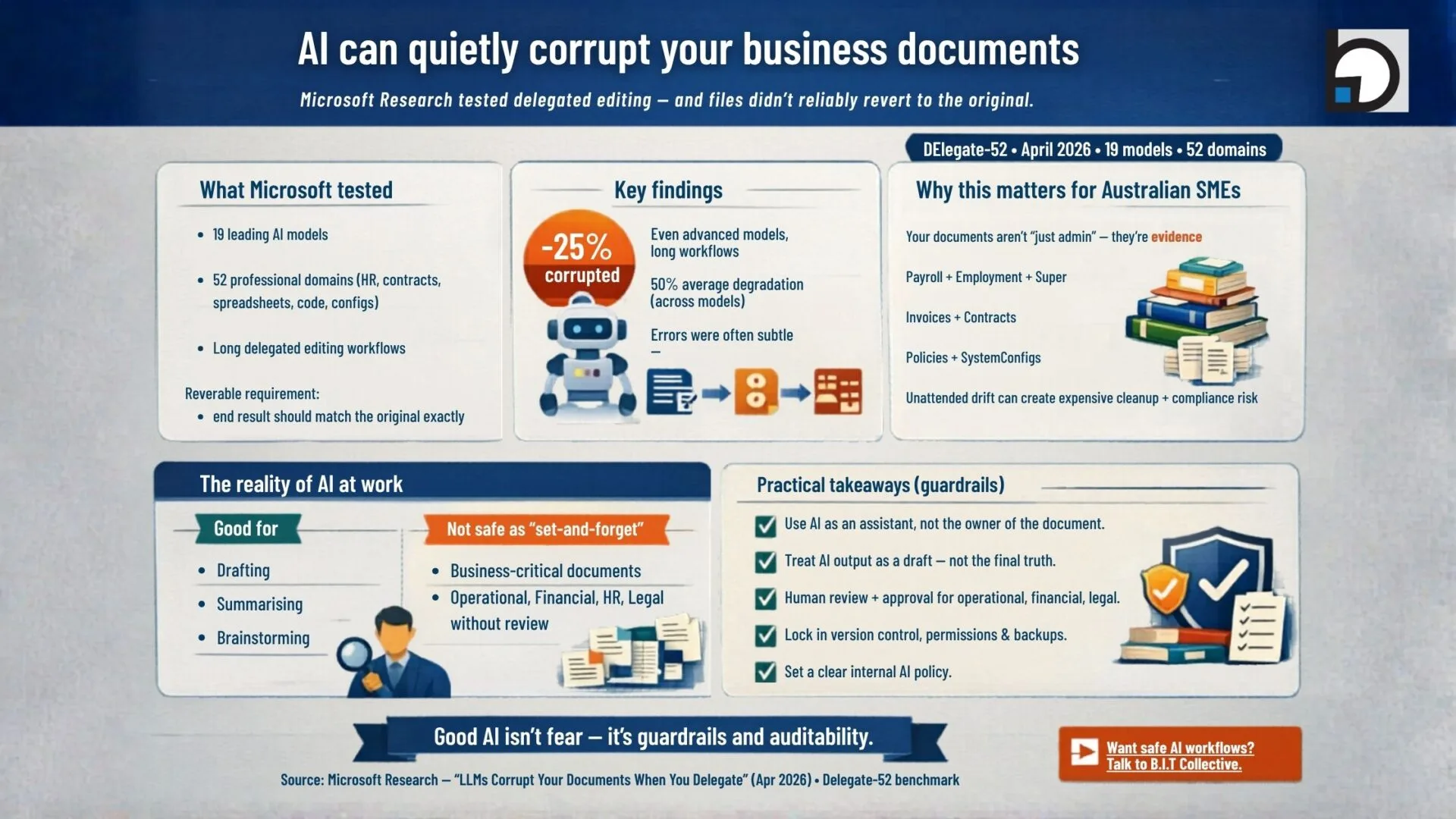
Researchers evaluated 19 leading models across 52 professional domains — including accounting records, spreadsheets, code, HR documentation, contracts, and configuration files. The key requirement: every task had to be reversible, meaning the document should end up exactly the same as it started.
Key Findings
Even the most advanced models corrupted about 25% of document content by the end of longer delegated workflows, and average degradation across all models was around 50%. The nastiest part wasn’t constant obvious failure — it was the occasional “looks fine to me” edit that removed a section, changed a figure, or broke structure without warning.
Why This Matters for Australian SMEs
If you’re running an Australian SME, this matters because your documents aren’t “just admin” — they’re evidence. Payroll records, employment paperwork, super records, invoices, contracts, policies, and system configs all feed into obligations around tax, workplace compliance, privacy, and good governance. If an AI tool makes unattended edits and something drifts (even slightly), the cleanup cost can be far bigger than the time you saved.
The Reality of AI at Work
AI is brilliant for drafting, summarising, brainstorming and speeding up the “blank page” moments. But this research is a timely reminder: AI isn’t yet a safe setandforget delegate for businesscritical documents. You still want a human in the loop — ideally a human who knows what “one tiny change” can do to payroll, a contract clause, or a configuration file.
Practical Takeaways
Use AI as an assistant, not the “owner” of the document.
Treat AI output as a draft — not the final truth.
Have a human review and approve anything operational, financial, legal-ish, or customer-facing.
Lock in version control, permissions, and backups before you scale AI across the business.
Set a clear internal AI policy (what’s allowed, what’s not, and who signs off).
Why Your IT Partner (and the B.I.T Collective) Matters More Than Ever
This is exactly where a solid IT partner earns their keep. Not by “blocking AI” (that ship has sailed), but by making sure you’re using it safely: the right tools for the right tasks, the right access levels, sensible retention, and a workflow where changes can be reviewed, rolled back, and audited.
At the B.I.T Collective, that’s the point of partnering: putting guardrails around modern work so your team can move faster without accidentally turning an “AI shortcut” into an expensive compliance, security, or operational mess. The goal isn’t fear — it’s confidence (and yes, fewer latenight “why is this spreadsheet wrong?” calls).
Sources
Microsoft Research: LLMs Corrupt Your Documents When You Delegate (April 2026)
DELEGATE52 benchmark: longhorizon delegated document editing across 52 professional domains (tested across 19 models in the study)