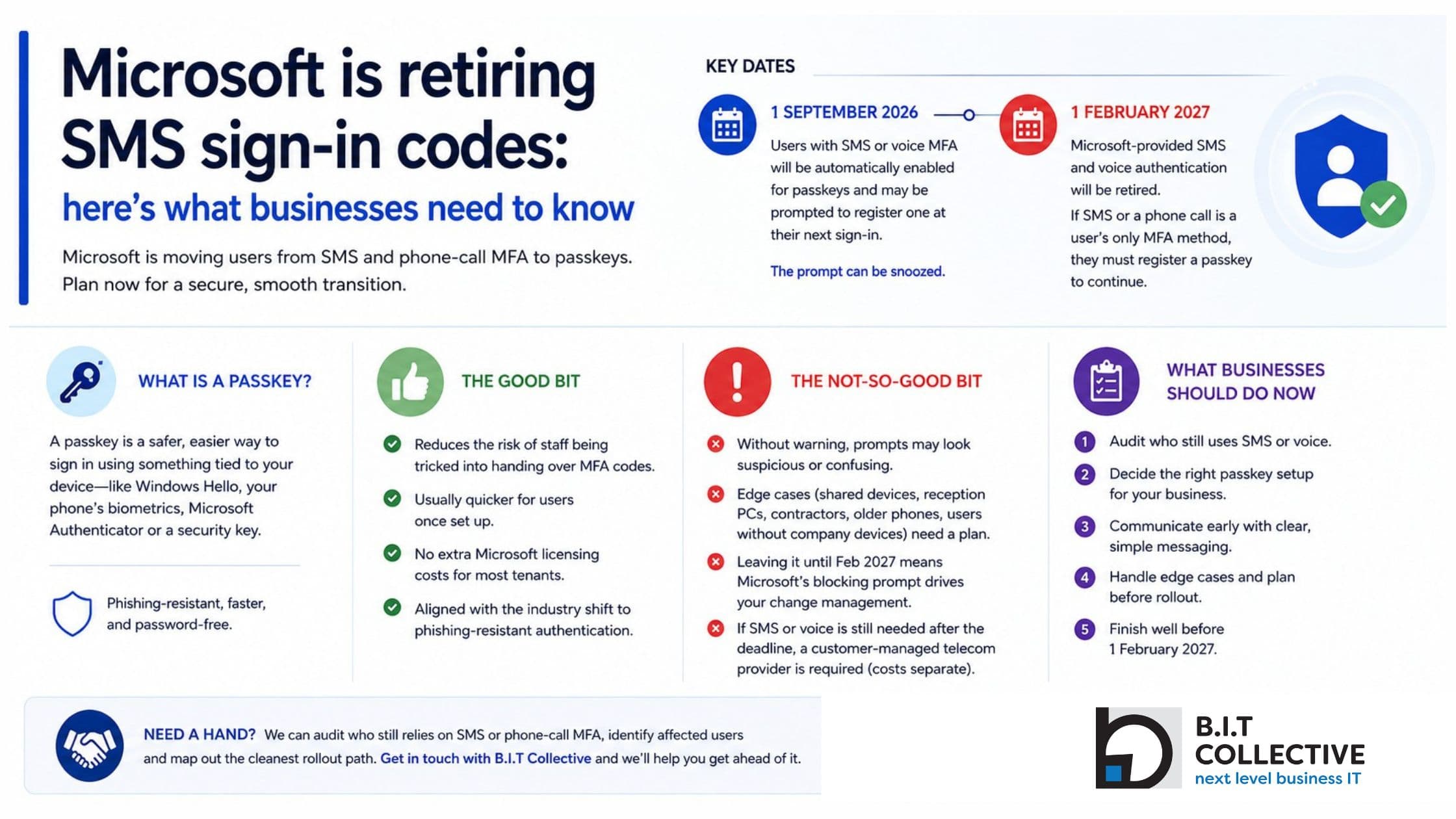
From September 2026, Microsoft will start moving users away from SMS and phone-call MFA. By February 2027, Microsoft-provided SMS and voice authentication will be retired.
The short version
If your team still uses text messages or phone calls to approve Microsoft 365 sign-ins, this affects you. The safest move is to plan your passkey rollout before Microsoft starts prompting your people at login.
What’s changing?
Microsoft has confirmed that passkeys will become the default authentication experience in Microsoft Entra ID, the sign-in system behind Microsoft 365.
From 1 September 2026, users enabled for SMS or voice authentication will be automatically enabled for passkeys and may be prompted to register one the next time they complete MFA. At first, the prompt can be snoozed.
From 1 February 2027, Microsoft-provided SMS and voice authentication will be retired. If SMS or a phone call is a user’s only MFA method, they will need to register a passkey before they can continue signing in.
What is a passkey, in plain English?
A passkey is a safer way to prove it’s really you. Instead of typing a code that can be stolen, you approve the sign-in using something tied to your device, such as Windows Hello, your phone’s face or fingerprint unlock, Microsoft Authenticator, or a physical security key.
If you already use the Microsoft Authenticator app for MFA or number matching, you do not strictly need to create a separate passkey straight away. However, Microsoft does allow you to store a passkey inside Authenticator, which can make sign-ins faster and entirely password-free. The main win is still the same: no six-digit code to hand over, and far less opportunity for scammers to phish one.
The good bit
- It reduces the risk of staff being tricked into handing over MFA codes.
- It is usually quicker for users once it is set up.
- For most Microsoft 365 tenants, moving to passkeys does not add extra Microsoft licensing costs.
- It lines up with where the industry is heading: phishing-resistant authentication as the practical default, not a nice-to-have.
The not-so-good bit
- If staff are not warned, the prompt may look suspicious or confusing. Cue help-desk calls.
- Shared devices, reception PCs, casual staff, older phones and users without company devices need a proper plan.
- If you leave it until February 2027, Microsoft’s blocking prompt becomes your change-management strategy. Not ideal, and a bit spicy for a Monday morning.
- If a business still needs SMS or voice after the deadline, it will need a customer-managed telecom provider through the Microsoft Security Store, with provider costs handled separately.
What should businesses do now?
| Action | Why it matters |
|---|---|
| Audit who still uses SMS or voice | Before you plan anything, find out who is actually affected. Any number above zero means you are in scope. |
| Decide the right passkey setup | For some businesses, Windows Hello and phone-based passkeys will be enough. Others may need physical security keys for shared workstations or staff without suitable devices. |
| Communicate early | A short staff message explaining what is changing, why it matters and what prompts to expect will save a lot of “is this a scam?” moments. |
| Handle the edge cases | Shared mailboxes, reception desks, contractors, older devices and role-based workflows all need to be considered before rollout day. |
| Finish well before 1 February 2027 | The February deadline is fixed. The earlier you move, the more control you have over timing, training and support. |
Our take
This is one of those changes that is easy if you get ahead of it and annoying if you leave it to the deadline. A quick audit now gives you time to sort the exceptions calmly before Microsoft starts doing the nudging for you.
Need a hand?
If you are not sure who still relies on SMS or phone-call MFA, we can run the audit, identify affected users and map out the cleanest rollout path.
Want us to check your Microsoft 365 tenant before the September 2026 prompts begin? Get in touch with B.I.T Collective and we’ll help you get ahead of it.